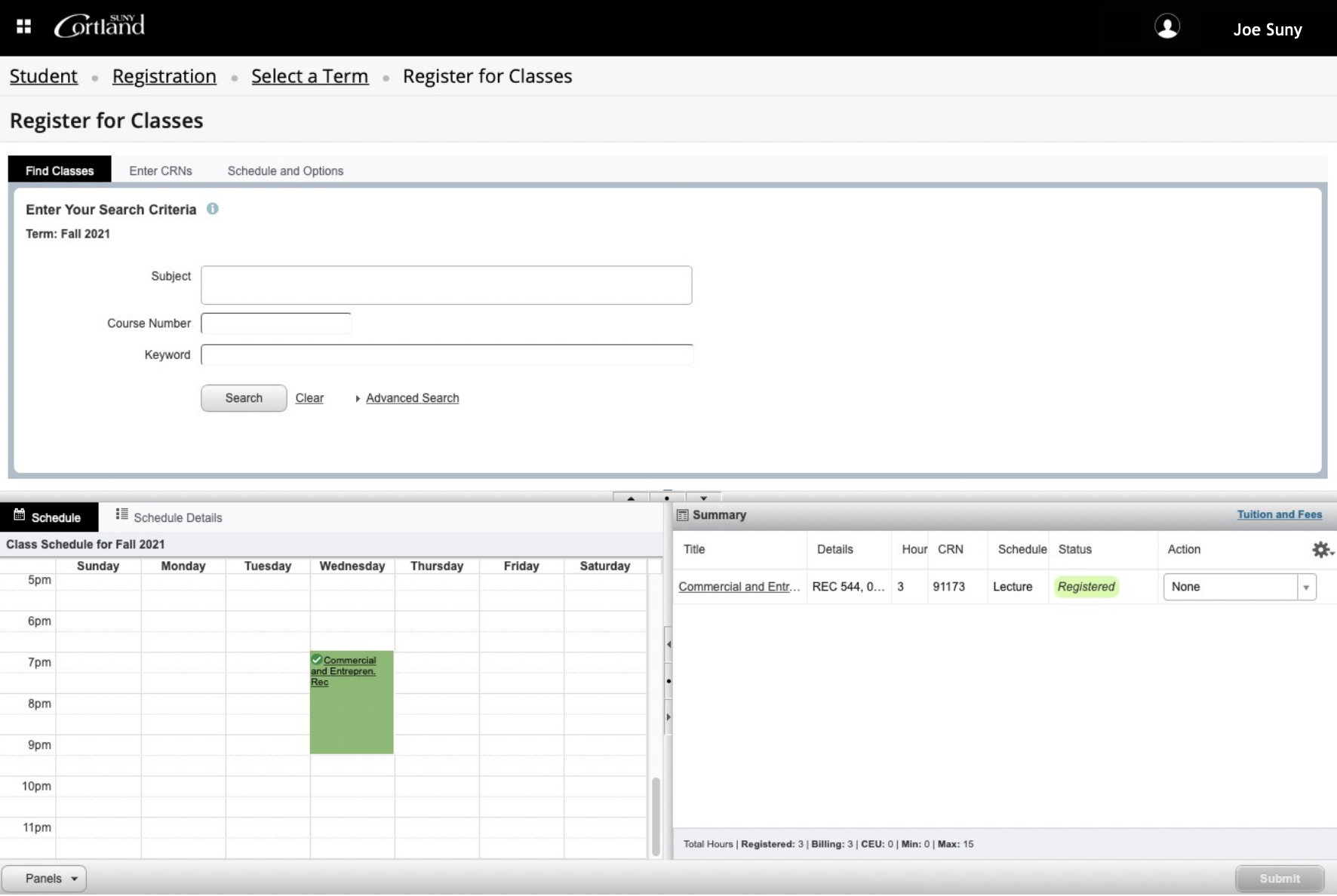
Search or add CRNs in the top pane. You can easily switch between the two methods. In addition, you may select “Schedule and Options” to see scheduling details.
The sections you add using the tools above, will be shown in the visual weekly grid in the Schedule pane.
Use the "Panels" button to show or hide the bottom panels. Hiding the panels gives you additional room to view search results.
The top menu bar shows your name and profile information. Errors and notices will also be shown in this area.
View your registration status and make changes using the Summary pane.
Be certain to click the "Submit" button to register for your courses.